 AI Coding Assistant
Bring Your Own Deepseek Api Key
Learn how to use your own Deepseek API key in Langcli
There are two methods to use your own Deepseek API key in Langcli.
Method 1: Configure your Deepseek API Key on LangRouter platform (Recommended)
LangRouter platform supports Bring your own provider API keys mode. In this mode, you need to purchase LLM tokens credit from Deepseek and apply for an API key yourself.
After you have your Deepseek API Key ready, please login to the LangRouter platform, and in the dashboard backend, refer to the image below to fill in your Deepseek API key.
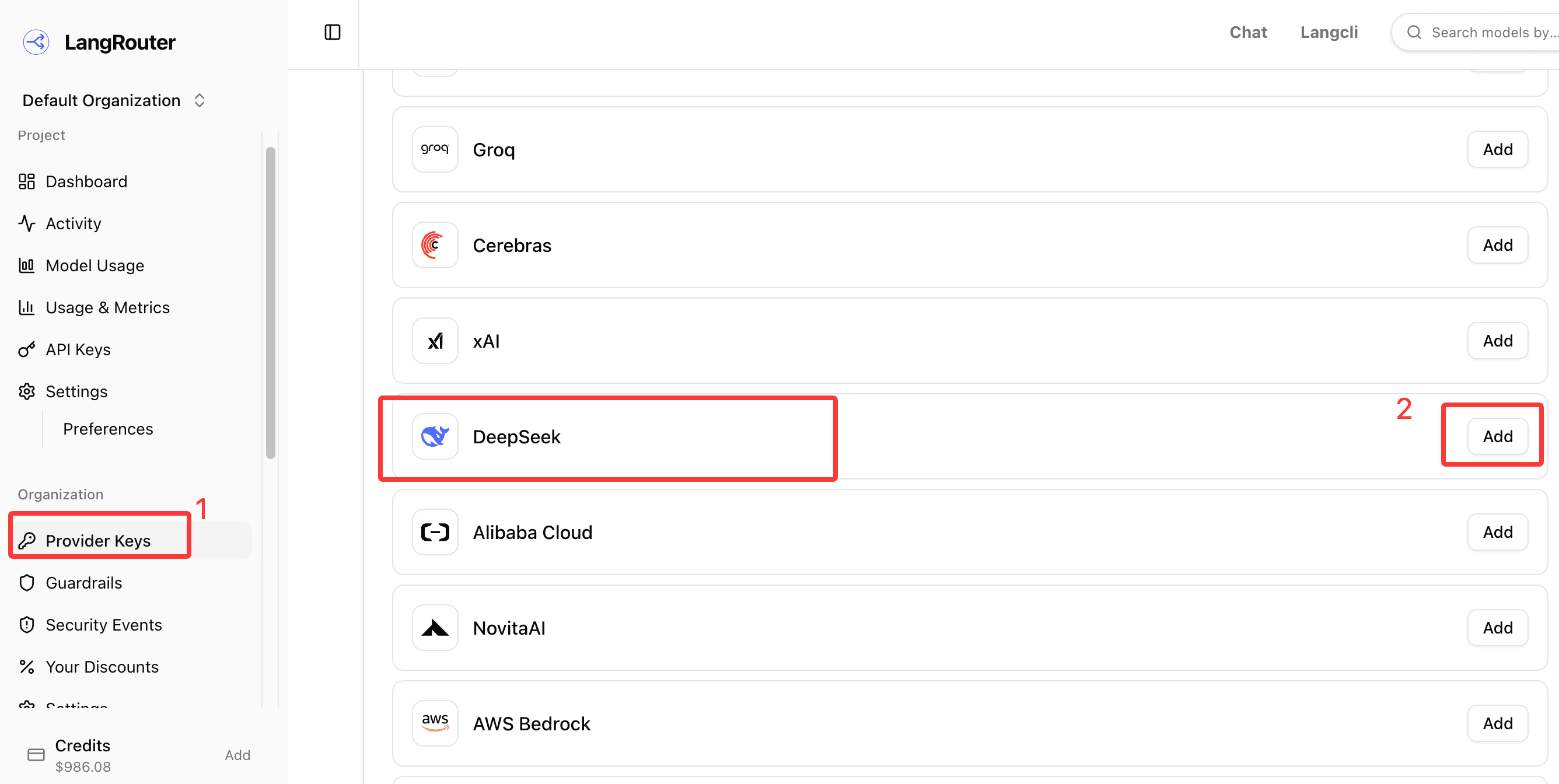
After setting this up, when you use deepseek-v4-flash or deepseek-v4-pro models in Langcli, LangRouter will prioritize using your Deepseek API key to serve your LLM requests. In this usage mode, the Credit balance in your LangRouter account will not be consumed. Unless you have actively set "Retain All Data" value in the Data Retention item in Policies in the LangRouter backend. The default value of the Data Retention item in Policies is "Metadata Only", which will not trigger Credit consumption.
Method 2: Use your own Deepseek API Key through the /connect command.
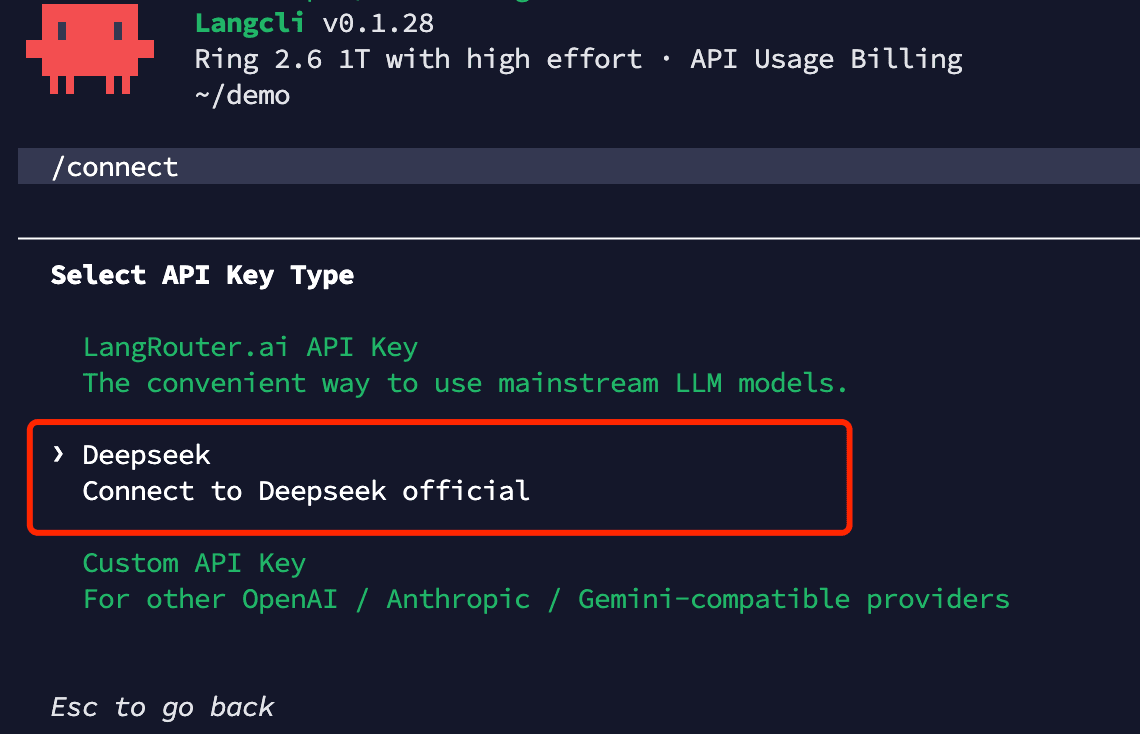
After executing the /connect command, select the option circled in the image below from the pop-up menu, and then enter your Deepseek API Key. After entering the API Key and confirming, you can execute the /model command to see two new models: Deepseek-v4-flash[1m] (custom) and Deepseek-v4-pro[1m] (custom), both of which automatically support 1M contexts.
Method 3: Use your own Deepseek API Key through custom model method
For this method, please read this section
Summary
Method 1 is simpler to configure, while Method 2 is relatively more secure (because your Deepseek API key stays on your computer)
Last Updated